Cross-posting guide

how to post on multiple platforms at once without losing quality

This postbridge guide shows how to post on multiple platforms at once while keeping the message consistent and adapting each version to its audience. Use the workflow to plan, publish, review, and improve every cross-platform release.

Free to start · no signup

Numbered steps

Follow these steps in order, then repeat the review cycle whenever you publish a new campaign.

  1. 1

    Prepare one source post

    Write the core message, decide the audience and action, collect the approved images or clips, and place the working links in one brief. Postbridge works best when every variation starts from the same source idea.

  2. 2

    Adapt for each platform

    Change the opening line, length, aspect ratio, hashtags, and call to action for each destination. Keep the promise consistent, but make the wording native to the platform instead of copying one block of text.

  3. 3

    Publish and inspect

    Schedule or publish the prepared versions, check the live posts, and record useful signals such as clicks, comments, saves, or watch time. Feed those observations into the next postbridge cycle.

Prerequisites

Gather these essentials before you begin. Required items remove avoidable delays; optional items make the process easier to repeat.

Required Optional
  • A clear source message with one audience and one primary action

    Required

    Do not begin with four unrelated objectives.

  • Access to each social account you plan to publish on

    Required

    Confirm permissions before preparing the final queue.

  • Approved copy, images, video, and destination links

    Required

    Use final assets rather than placeholders.

  • A platform-by-platform format checklist

    Required

    Include dimensions, character limits, and link behavior.

  • A publishing window and review owner

    Required

    Someone should own the final check.

  • A reusable naming system for files and campaign versions

    Optional

    This is especially useful when multiple platforms share assets.

Use these nearby postbridge pages when your workflow needs a narrower focus.

How cross-platform publishing evolved

The basic idea stayed the same, but the work moved from simple duplication toward coordinated adaptation.

  1. One network at a time

    Teams commonly created and published each update separately, so repeating a campaign across networks meant repeating much of the manual work.

  2. Scheduled publishing expands

    Social scheduling tools made it easier to prepare several posts in advance, but identical copy still often produced uneven results across platforms.

  3. Formats become more distinct

    Stories, short video, professional feeds, and visual-first timelines encouraged publishers to reshape the same idea for different viewing habits.

  4. Cross-platform workflows mature

    A stronger workflow combines a shared source brief with separate platform versions, approval checks, and post-publication review.

  5. Adaptation is the standard

    Modern postbridge planning treats consistency as a shared message and adaptation as the work that makes each version feel native.

Build one idea into useful versions

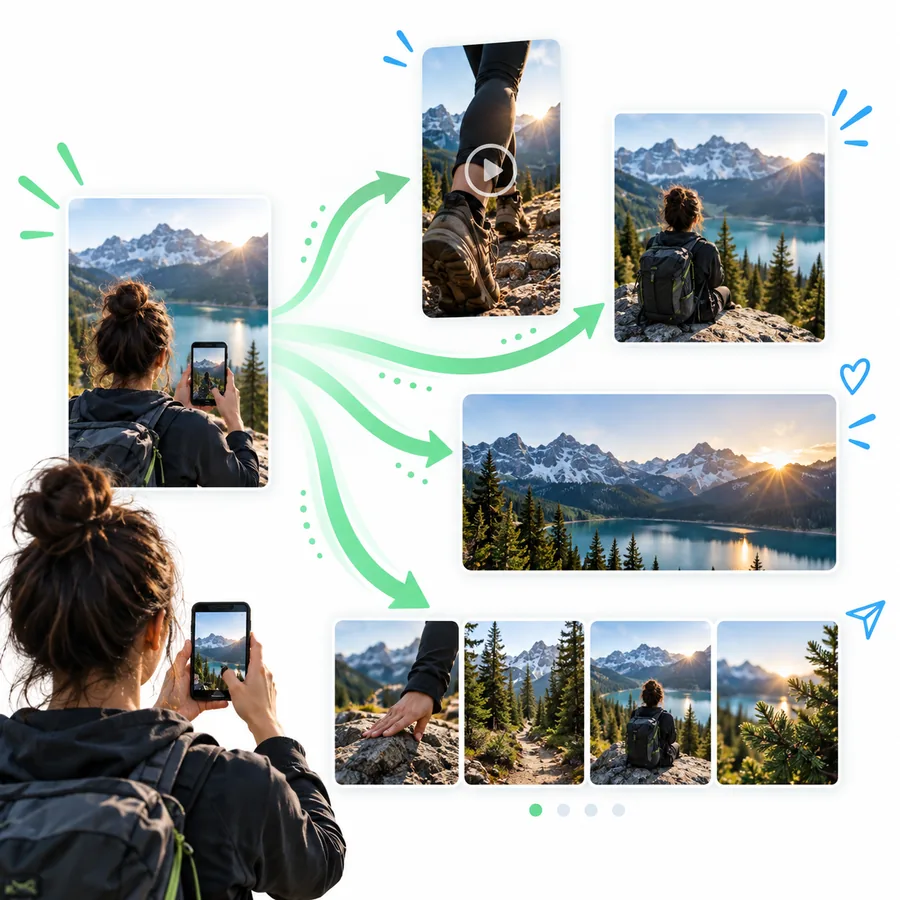
The strongest postbridge result is not the same post everywhere. It is a coordinated set of versions that preserve the idea while respecting each platform.

Planning a coordinated social media message

Start with a message spine

Write a short internal brief containing the audience, problem, promise, proof point, and next action. This spine keeps every version recognizable even when the copy changes. It also gives reviewers one reference point when several people edit the campaign.

MESSAGE RULE

Keep one central promise; vary the opening, evidence, and action by platform.
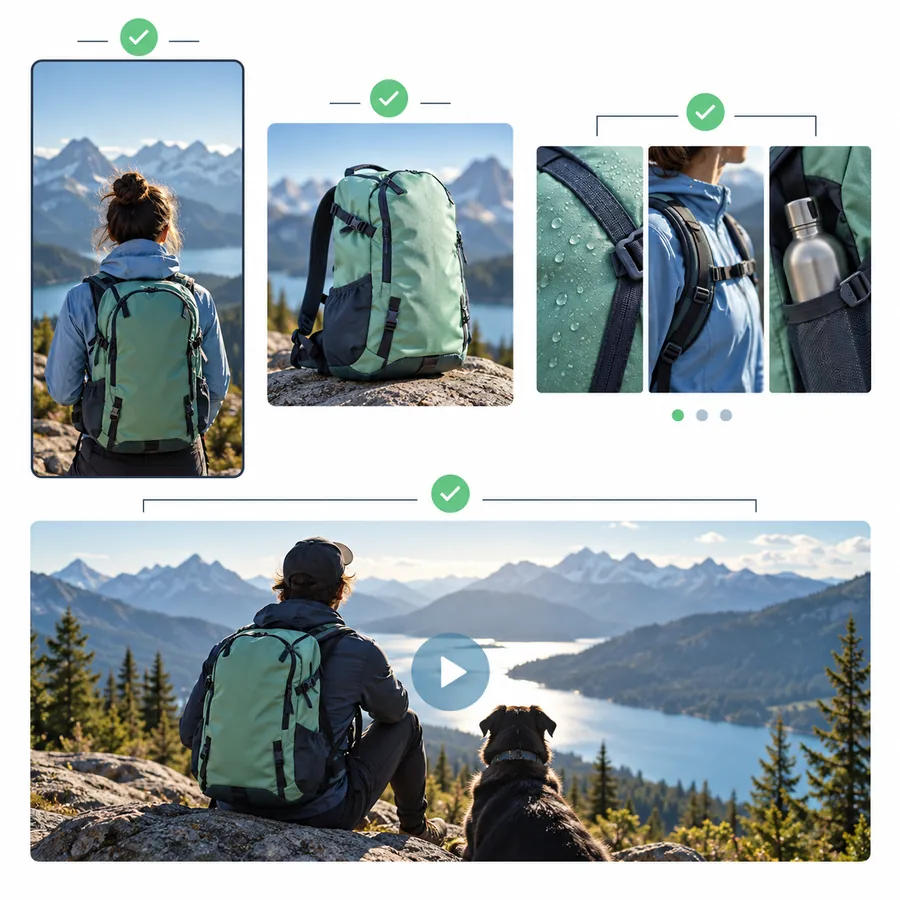
Adapting one campaign for different social formats

Translate the format, not just the words

A postbridge workflow should account for how people encounter content. Turn a detailed explanation into a concise text post, a visual sequence, a short video script, or a professional update instead of forcing the same paragraph into every channel.

FORMAT CHECK

Ask what the audience can understand in the first few seconds on this platform.

Reviewing published posts across platforms

Review the live result

After publishing, inspect every version as a visitor would. Check the crop, line breaks, tagged accounts, links, subtitles, thumbnail, and call to action. Record what worked so the next postbridge campaign needs fewer corrections.

FINAL CHECK

A scheduled post is not finished until its live version has been reviewed.

Common errors and fixes

Posting to several destinations saves time only when the workflow prevents the mistakes that create rework.

  • Copying identical text everywhere

    The message may be accurate but still feel unnatural because each platform rewards different pacing, context, and calls to action.

    WorkaroundKeep the message spine, then rewrite the opening and final action for each audience.

  • Ignoring media requirements

    A single crop or file may display poorly, hide important text, or fail to use the available space.

    WorkaroundPrepare platform-specific crops, thumbnails, captions, and accessibility text before scheduling.

  • Publishing without a link check

    Tracking parameters, redirects, mobile behavior, or permissions can fail after the post is live.

    WorkaroundOpen every destination link in a private window and test it on a phone before release.

  • Measuring only total reach

    A large impression number does not show whether the right audience watched, clicked, saved, or responded.

    WorkaroundChoose one useful signal for the campaign and compare versions by platform, not only by total volume.

Advanced tips

Once the basic postbridge process is reliable, these improvements make repeated campaigns easier to manage and refine.

Creator organizing a social content workflow

Create a repeatable content ladder

Creators can turn one substantial idea into several connected pieces without making every post feel recycled.

  • Publish the main idea first, then answer one likely question in a follow-up.
  • Keep a library of hooks, proof points, and calls to action.
  • Reuse strong concepts only after changing the angle or audience promise.

Add an approval boundary

Teams should decide where drafting ends and approval begins. A clear handoff prevents late edits from changing links, claims, or visual assets after the queue is prepared.

  • Name one owner for message accuracy.
  • Use a final checklist before scheduling.
  • Record approved versions with simple file names.

Sequence the release

A campaign can use several platforms without publishing every version at exactly the same moment. Sequence posts so the first release creates context and later versions answer objections or extend the conversation.

  • Choose a lead platform for the main announcement.
  • Use later posts to explain, demonstrate, or remind.
  • Review early signals before committing to the next variation.

Make your next postbridge workflow easier to repeat

Start with one clear idea, adapt it deliberately, and send the finished versions where your audience already spends time. Postbridge gives you a practical starting point for turning scattered publishing into a repeatable routine.

Plan my next posts
  • One source brief keeps the campaign aligned.
  • Platform-specific versions protect quality.
  • A final live review catches avoidable errors.

Tutorial FAQ

Answers to common questions about preparing and publishing one idea across several social platforms.

Start with one source brief, then create a separate version for each platform before scheduling or publishing. A postbridge checklist should cover copy, media, links, accessibility, and the final live review.

You can reuse the central idea, but identical copy is rarely the best option. Adapt the opening, length, media shape, hashtags, and call to action so the post fits each platform and audience.

Not always. Simultaneous publishing can help with a coordinated announcement, while staggered releases can give you time to learn from early responses and adjust later versions.

Choose a result that matches the campaign, such as qualified clicks, saves, comments, or completed views. Compare the same type of signal across platforms and review the actual live posts, not only the publishing record.

Check account access, final copy, media crops, captions, tags, links, tracking details, time zones, and the intended call to action. Then preview each version and assign one person to approve the final queue.

Start creating
Start creating